转至内容
转至导航栏
转至主菜单
转至动作菜单
转至快速搜索
空间
按回车键(Enter)搜索
帮助
在线帮助
快捷键
RSS源建立器
新功能
可用的小工具
关于Confluence
登录
支持
空间快捷链接
天河官网
页面树结构
浏览页面
设置
空间管理
t
附件(3)
页面历史
可以查看的人
页面信息
已解决评论
以层级方式查看
查看页面源代码
导出为PDF
导出为Word
页面
…
支持
常见问题
天河THCAD® 2D 常见问题
四、 界面与显示
跳到banner的尾部
JIRA 链接
回到标题开始
53. V24新功能区文字小、字体发虚、图标不清晰怎么优化
转至元数据结尾
由
admin1
创建, 最后修改于
十二月 16, 2025
转至元数据起始
解答
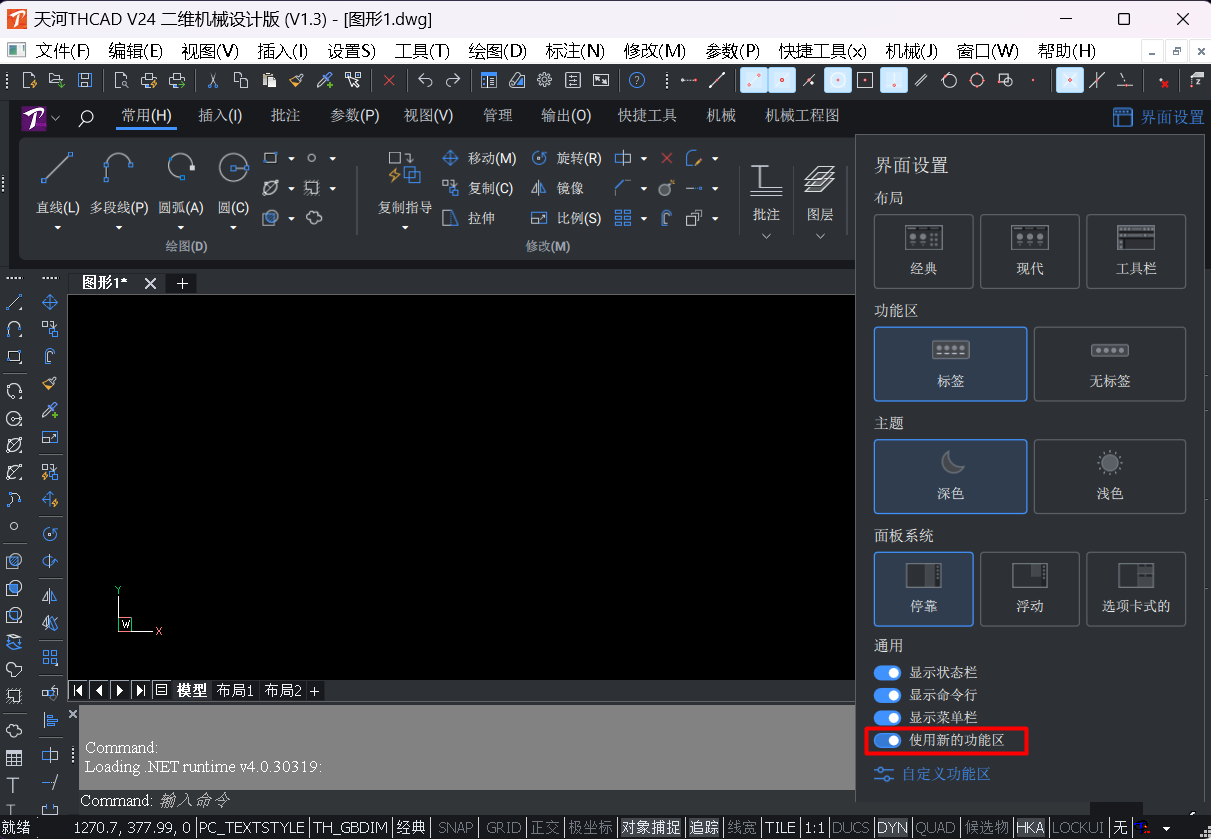
:建议这样调整:点击“界面设置”,取消“使用新的功能区”。
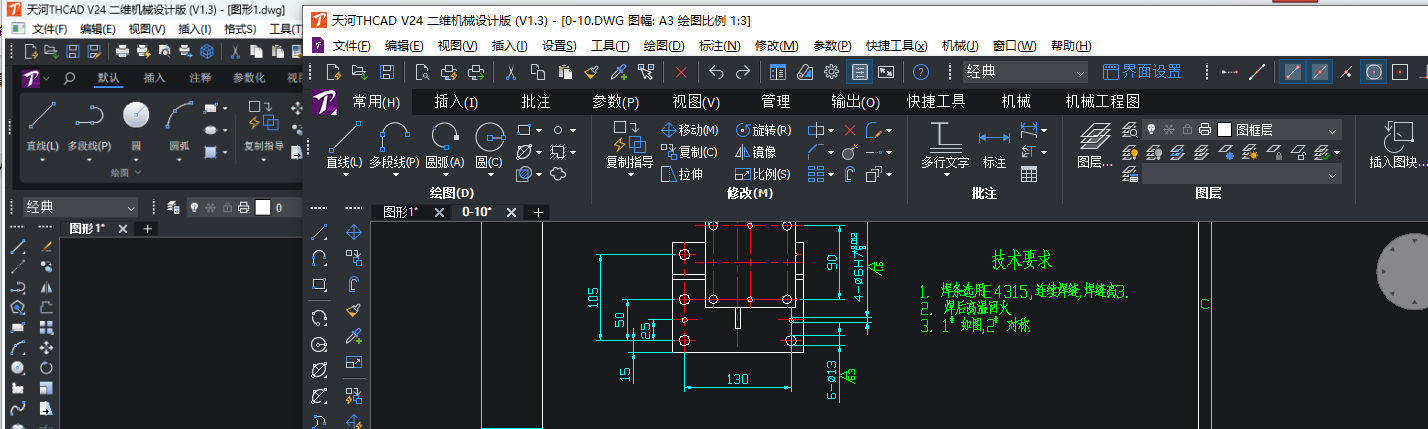
以下是新旧功能区的效果对比(右侧是旧功能区):
V25这个问题将得到解决。
无标签
概览
内容工具
{"serverDuration": 94, "requestCorrelationId": "33b776b07a8108b2"}