如果您希望在已经安装使用天河CAD的电脑中卸载该产品,需要在确保许可已停用(仅指PCCAD V21单机版许可)的情况下,在程序和功能窗口中卸载。
卸载步骤为:
- 关闭CAD。
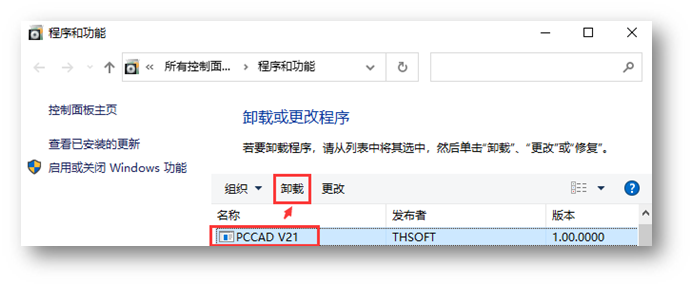
- 控制面板——程序和功能,找到需要卸载的天河CAD产品,例如PCCAD V21:
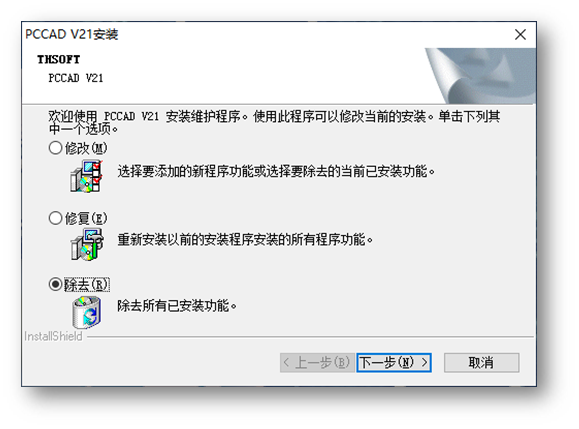
- 点击“卸载”,“除去”。
【注】
- 如果希望完全卸载天河CAD相关组件,可在“程序和功能”窗口中依次卸载发布者为“THSOFT”的其他名称的软件。
- 卸载PCCAD V21后,建议卸载 BricsCAD V21。
如果您希望在已经安装使用天河CAD的电脑中卸载该产品,需要在确保许可已停用(仅指PCCAD V21单机版许可)的情况下,在程序和功能窗口中卸载。
卸载步骤为:
【注】